
High Performance Desktop PC
SHASHIV ENTERPRISES provides High Performance Desktop PC solutions for businesses, professionals, technical teams, and users who require powerful and reliable computing systems for demanding applications. A high-performance desktop computer is designed to deliver enhanced processing capabilities, graphics performance, memory capacity, storage speed, and hardware flexibility compared with standard office computers.
Our desktop PC solutions can be configured for business intelligence, data analytics, software development, engineering applications, CAD, 3D modelling, video editing, graphic design, content creation, virtualization, and other professional computing workloads. Depending on the application requirements, systems may include high-core-count processors, dedicated graphics cards, high-speed DDR4 or DDR5 memory, NVMe SSD storage, advanced cooling, and expansion-ready motherboards.
At SHASHIV ENTERPRISES, we help customers identify suitable desktop configurations based on their workload, software compatibility, performance expectations, upgrade requirements, and budget. Whether you require a desktop for individual professional use, corporate operations, a technical department, or a project-based computing environment, our objective is to provide a balanced hardware solution.
High Performance Desktop PC for Professional and Business Computing
What Is a High Performance Desktop PC?
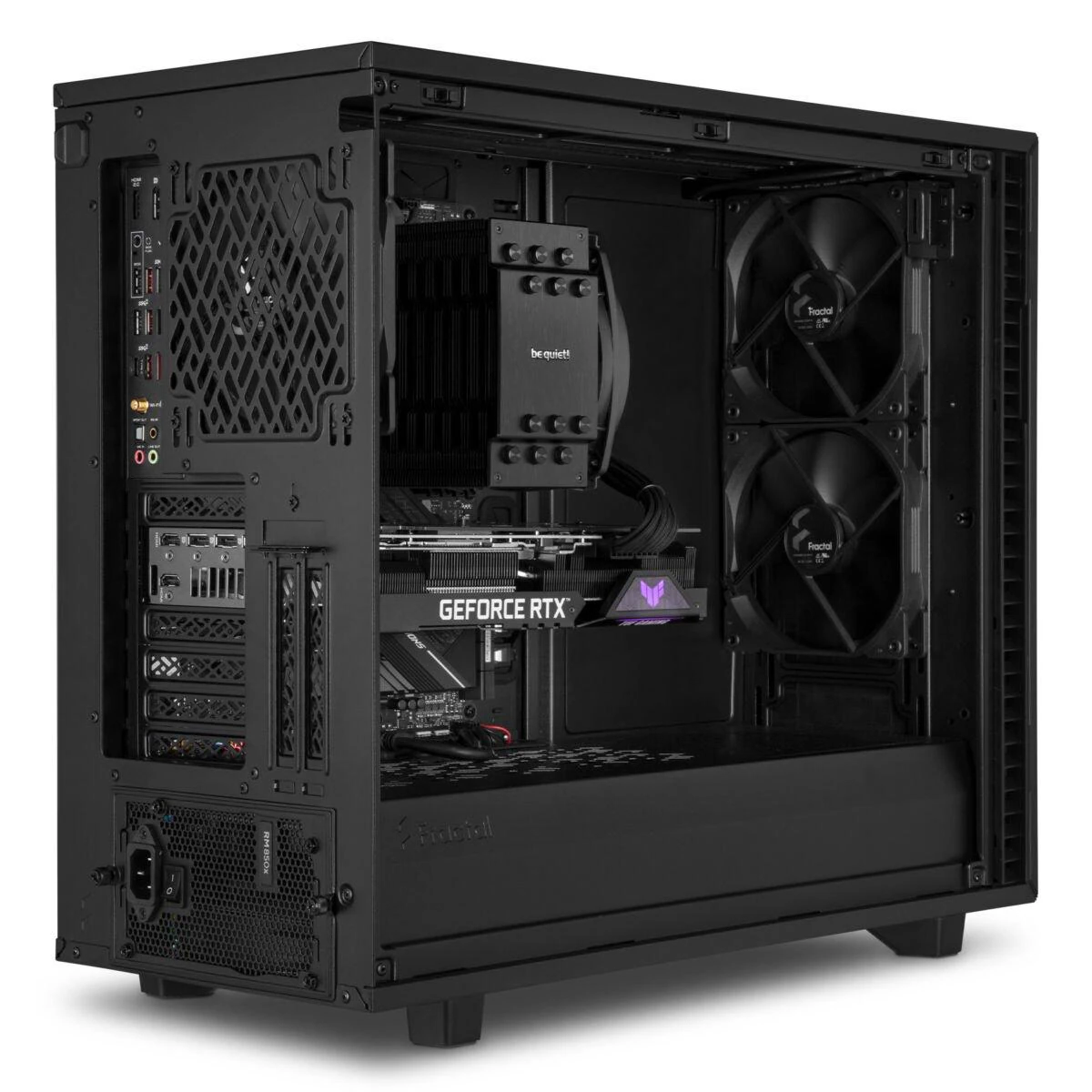
A High Performance Desktop PC is a desktop computer built using powerful and carefully selected hardware components to handle demanding workloads efficiently.
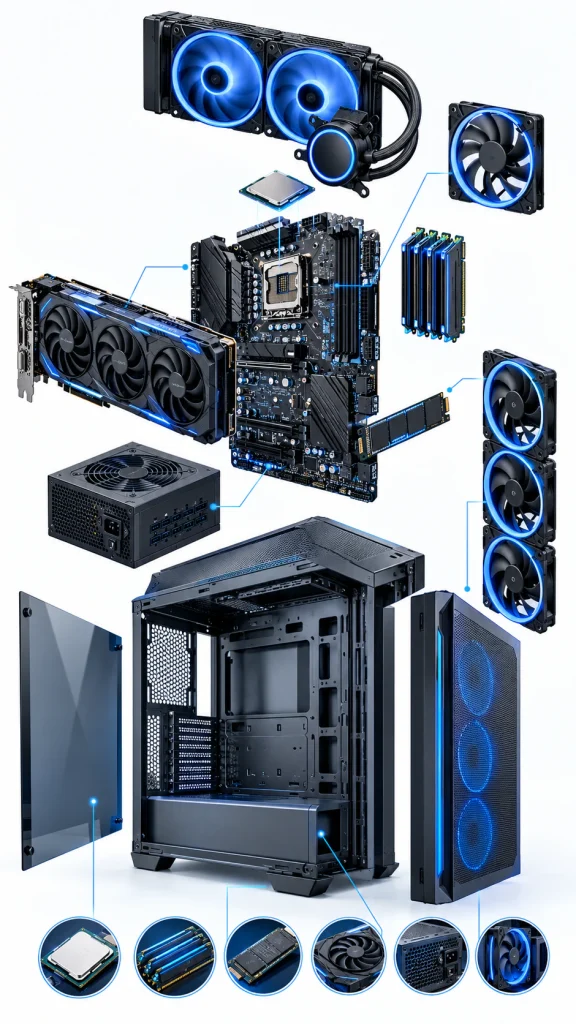
The overall performance of a desktop does not depend on just one component. The processor, graphics card, RAM, storage, motherboard, cooling system, power supply, and operating system all work together to determine the system’s capabilities.
High Performance Desktop PC for Professional Applications
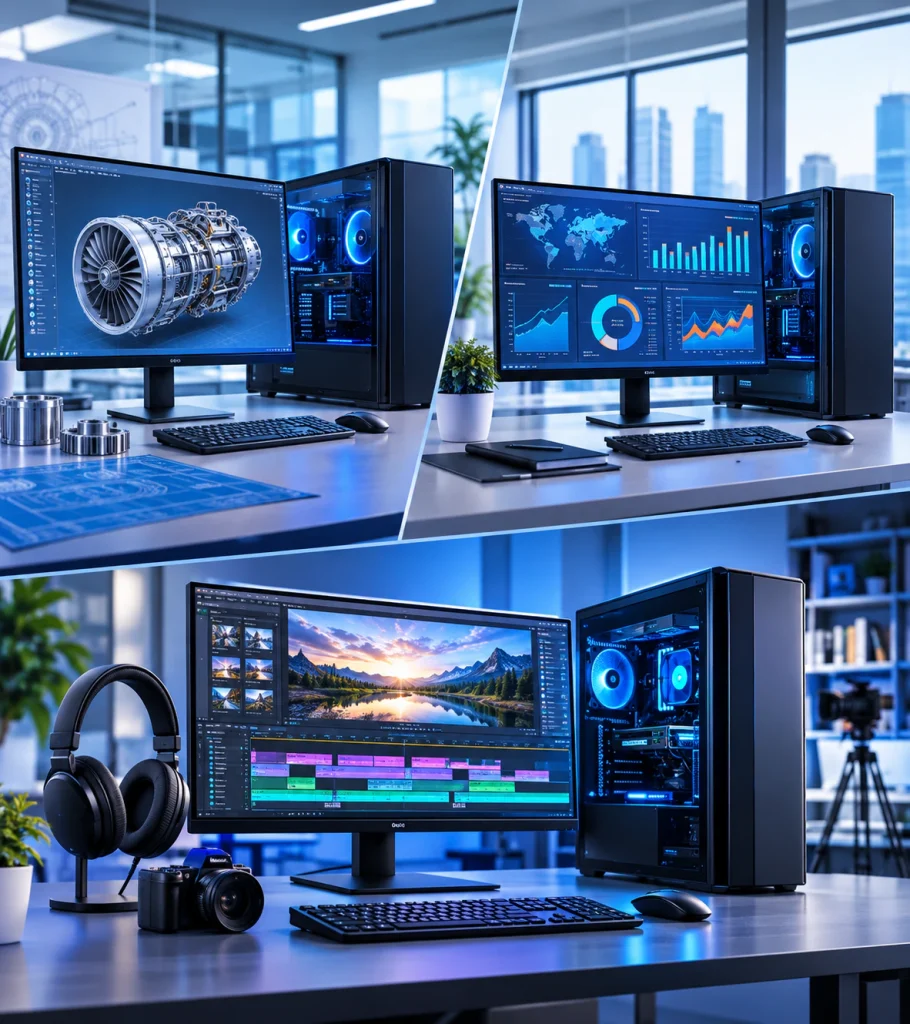
High-performance desktop computers can support a wide range of professional and business applications. The required configuration varies according to the software, project complexity, data volume, and processing workload.
SHASHIV ENTERPRISES helps customers explore desktop configurations for different professional computing requirements.
Desktop PC for Data Analytics and Business Intelligence
Desktop systems for data analytics and business intelligence can be configured to handle large spreadsheets, database operations, analytical applications, reporting tools, and complex data models. CPU performance, memory capacity, SSD speed, and multi-monitor connectivity are important factors when selecting a system for Power BI, data processing, and business reporting workloads.
Desktop PC for Engineering, CAD and 3D Modelling
Engineering and design applications may require powerful processors, professional or high-performance graphics cards, sufficient VRAM, and large memory capacity. Depending on software compatibility and project requirements, desktop configurations can support CAD modelling, simulation, 3D design, rendering, and technical visualization workloads.
Desktop PC for Video Editing and Content Creation
Video editing and content creation systems can be equipped with multi-core processors, dedicated GPUs, high-speed NVMe SSDs, and adequate RAM to support video editing, encoding, compositing, animation, and graphics-intensive production workflows. The required hardware depends on video resolution, editing software, effects, and project complexity.
Desktop PC for Software Development and Virtualization
Software developers and technical professionals may require powerful desktop computers for coding environments, application compilation, database development, multiple virtual machines, testing, and container-based workloads. Processor core count, memory capacity, storage performance, and virtualization support should be considered during configuration planning.
Technical Components of a High Performance Desktop PC
A high-performance desktop computer should be configured by considering hardware compatibility, workload requirements, and performance balance. Every major component contributes to the system’s processing capability, stability, and upgrade potential.
Processor (CPU) — Core Count, Threads and Clock Speed
The CPU is responsible for executing instructions, performing calculations, and managing general computing tasks. Processor selection should consider architecture, core count, thread count, base and boost clock speeds, cache capacity, socket compatibility, and application-specific performance.
High-core-count CPUs can be beneficial for rendering, compilation, virtualization, and parallel workloads, while strong single-thread performance may be important for certain engineering and business applications.
RAM — DDR4, DDR5 and Memory Capacity
RAM determines how much active data and how many applications a system can manage efficiently. Depending on the workload, desktop configurations may include DDR4 or DDR5 memory, dual-channel or higher memory arrangements, and expansion options.
Memory capacity should be selected according to dataset size, application requirements, multitasking, and virtualization needs. Motherboard-supported memory speed and maximum capacity must also be verified.
Graphics Card (GPU) — Graphics Processing and VRAM
A dedicated GPU can accelerate graphics rendering, video processing, 3D modelling, simulation, and supported compute workloads. GPU selection should consider architecture, VRAM capacity, memory bandwidth, application compatibility, display outputs, and power requirements.
Professional software may require specific graphics drivers or certified GPU configurations.
SSD Storage — NVMe, PCIe Generation and Capacity
NVMe SSD storage can improve operating system responsiveness, application loading, file transfers, and project access. Storage configuration should consider PCIe generation, read and write performance, capacity, endurance, and available M.2 slots.
Additional SSD or HDD storage may be required for large project files, media libraries, databases, and archival data.
Motherboard — Chipset, Socket and Expansion
The motherboard determines processor compatibility, memory support, expansion capability, connectivity, and platform features. Important specifications include CPU socket, chipset, RAM slots, PCIe lanes, M.2 connectors, USB ports, networking, BIOS support, and expansion options.
Power Supply (PSU) — Wattage and Efficiency
A reliable power supply should provide sufficient capacity for the CPU, GPU, storage, cooling, and other installed components. PSU selection should consider total system power requirements, efficiency certification, connector compatibility, transient power demands, and future upgrades.
Cooling System and Thermal Management
High-performance processors and graphics cards generate significant heat under sustained workloads. A suitable thermal solution may include air cooling, liquid cooling, heatsinks, thermal interfaces, and cabinet fans.
Proper airflow and thermal management help maintain operating temperatures, reduce thermal throttling, and support stable system operation.
Cabinet, Connectivity and Upgradeability
The cabinet should provide sufficient space for the motherboard, GPU, cooling system, power supply, and storage components. Front and rear connectivity, expansion slots, airflow, cable management, and future hardware compatibility should be considered during configuration.
Custom High Performance Desktop PC Configurations
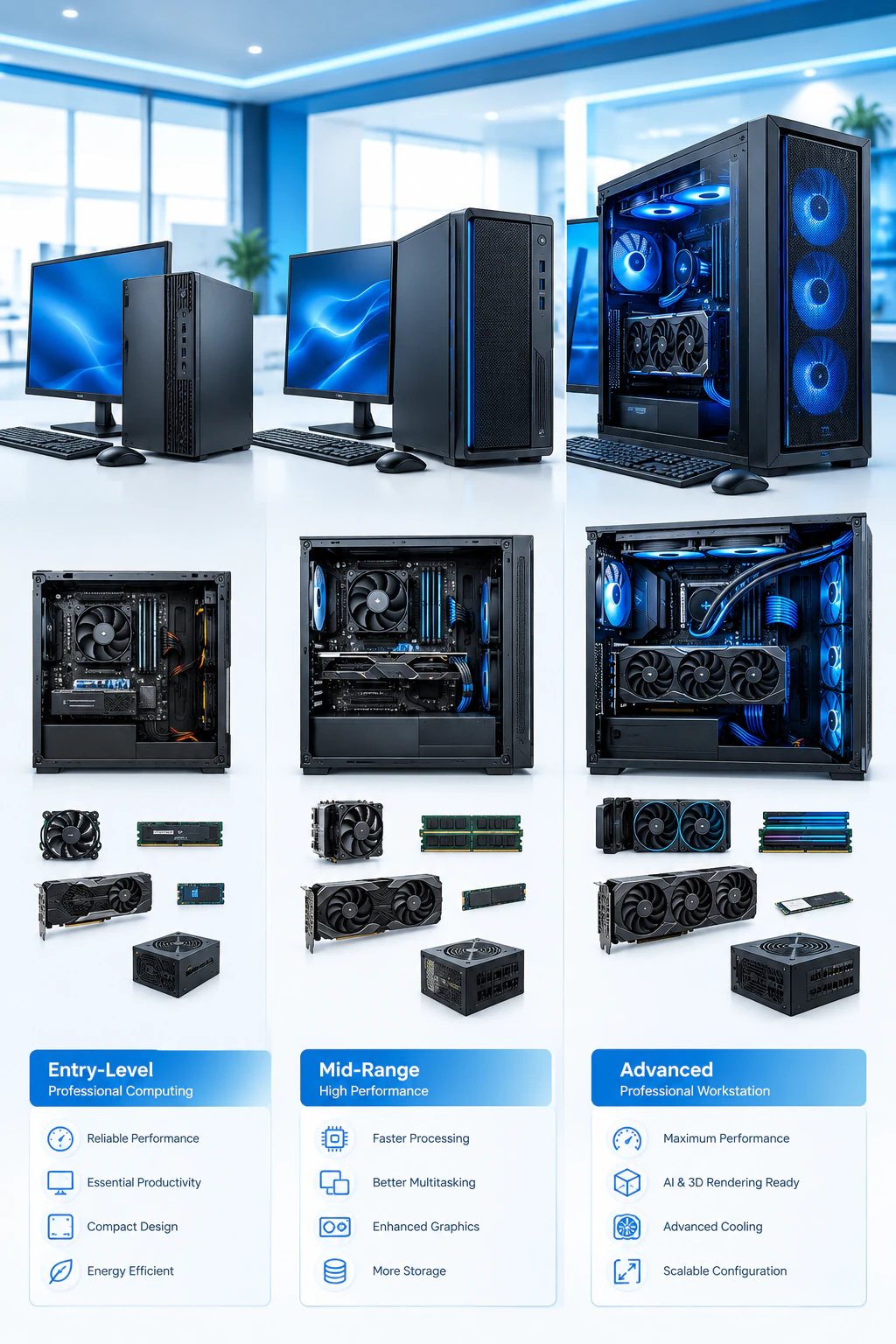
Different users require different levels of processing power, memory, graphics capability, and storage. SHASHIV ENTERPRISES helps customers explore custom high-performance desktop configurations based on their application requirements and budget.
Configuration planning may include processor selection, dedicated graphics, RAM capacity, NVMe SSD storage, motherboard features, cooling, power supply, cabinet, operating system, and hardware expansion options.
The ideal configuration should be selected according to software requirements and expected workloads rather than choosing specifications solely on the basis of component names or maximum available performance.
Entry-Level Professional Desktop Configuration
Suitable for office productivity, programming, business applications, basic analytics, and multitasking that require better performance than standard entry-level desktops.
Mid-Range High Performance Desktop Configuration
Suitable for advanced business applications, data analytics, software development, graphic design, and moderate graphics-intensive workloads.
Advanced High Performance Desktop Configuration
Designed for demanding professional workloads such as advanced rendering, engineering applications, high-resolution video editing, large-scale data processing, and graphics-intensive applications. The configuration depends on application compatibility, CPU and GPU requirements, memory capacity, and project complexity.
Address
A-124, Street No. 8, Madhu Vihar, I.P. Extension, Delhi – 92
WhatsApp & Call Us
+9187430 89831 +919210341869
Email Us
support@shashiv.in, shashiventerprises@gmail.com
📞 Contact Our Team
Click For Contact Us Page
SHASHIV ENTERPRISES provides desktop computer and IT hardware solutions for professionals, businesses, startups, institutions, and individual customers. We understand that a high-performance desktop should be selected according to actual application requirements, hardware compatibility, and budget.
Our approach focuses on discussing processor performance, graphics requirements, memory capacity, storage, cooling, connectivity, upgradeability, and system configuration before identifying a suitable solution.
Customers can discuss individual desktop requirements, multiple system procurement, business computing projects, and professional application needs with our team. Configuration, component availability, commercial terms, and applicable support are confirmed according to each requirement.
Why Choose SHASHIV ENTERPRISES for High Performance Desktop PCs?

Get a High Performance Desktop PC for Your Requirements
Looking for a High Performance Desktop PC for business applications, engineering, data analytics, video editing, software development, or professional computing?
Contact SHASHIV ENTERPRISES to discuss your required specifications, workload, budget, and configuration preferences. Our team can help you explore a suitable desktop computer solution based on your needs.